

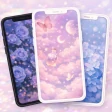
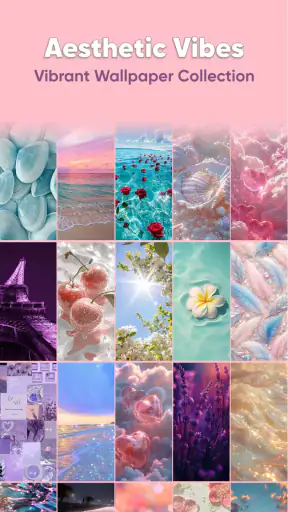
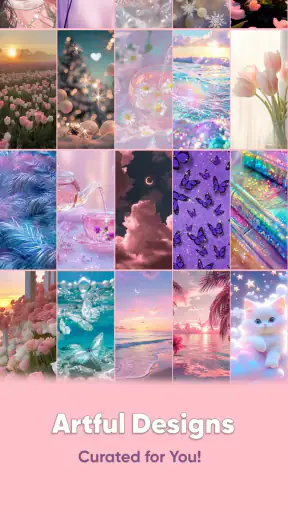
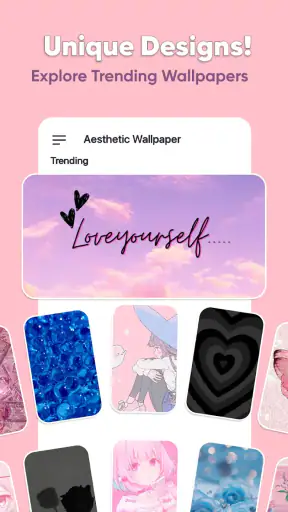
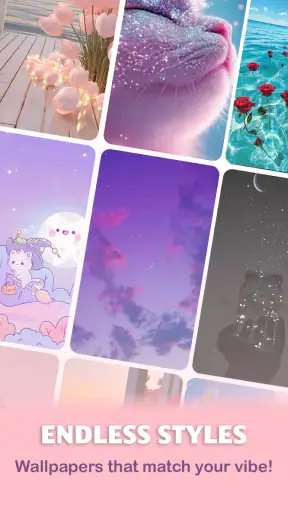
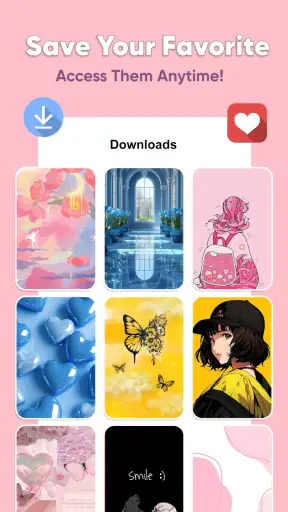

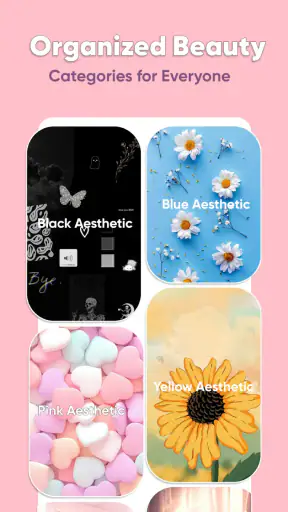
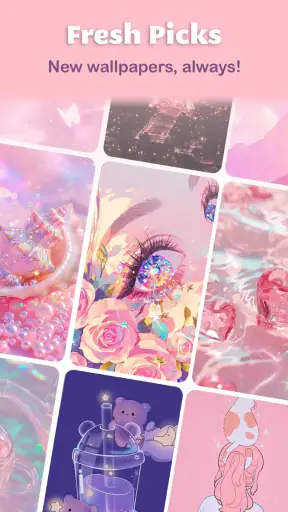
I spent time with Aesthetic Wallpaper for Girls as a personalization app, and my first impression was simple: it is made for people who want their phone to feel softer, cuter, and more deliberately styled without spending an afternoon building a complete theme from scratch. The focus is visual rather than functional, so the value comes from how quickly the app helps you find a background that fits your mood, case, widgets, or lock-screen style.
That narrow purpose is also its biggest strength. Instead of trying to be a general customization toolbox, it concentrates on cute and girly wallpaper choices. I found that useful when I wanted a fast change rather than a complicated setup. If your idea of personalization is choosing a background that makes the phone feel more like yours, this app is easy to understand. If you expect icon packs, launchers, widgets, or deep system-wide theming, you should approach it with different expectations.
How the app feels during ordinary use
The app is free to install and is suitable for Everyone, which makes it approachable for younger users, casual users, and anyone who simply wants a decorative background. It was released on May 24, 2021, and DOSA Apps has continued to maintain it through version 8.1.0. That history matters to me because a wallpaper app needs to remain usable as phones and screen layouts change.
In everyday use, the main appeal is the short path from opening the app to making a visual decision. I do not want to configure several layers of settings just to replace a background. A focused wallpaper catalog makes that process less tiring, especially when I am choosing something for a new phone case, a seasonal refresh, or a cleaner home screen.
The app’s audience is fairly clear. It suits someone who likes pastel colors, playful patterns, feminine illustrations, soft textures, and other decorative styles associated with a cute aesthetic. That does not mean every image will appeal to every user. The collection’s personality is more specific than a neutral wallpaper archive, so people who prefer landscapes, photography, abstract art, or plain solid colors may find the selection less relevant.
What I noticed about speed and browsing
Wallpaper apps can feel slow for reasons that are not always obvious. Large image previews, changing collections, and repeated scrolling can make the experience feel heavier than a basic settings screen. Here, the focused concept helps: I am browsing for one visual item, not navigating a broad catalog of unrelated tools. That makes the app feel easier to use when I already know the kind of look I want.
My practical advice is to decide first whether you want a busy or quiet background. A detailed design can look attractive in the preview but compete with app icons once it is applied. I had better results when I judged the empty areas of an image, not just the central artwork. A wallpaper with breathing room around the likely icon area usually makes the phone easier to read.
Another useful habit is to compare a favorite image with the lock screen and home screen separately. A design that looks excellent behind a clock may become distracting beneath rows of icons. This is one of the app’s less obvious trade-offs: the best-looking preview is not automatically the most practical daily background.
Heavy browsing and resource expectations
The app is most likely to feel demanding when I browse for a long time rather than when I select one background quickly. Repeatedly opening previews and moving through many visual options naturally asks more from the device than making a single change. I would not treat that as a reason to avoid the app, but I would avoid leaving it open while doing other demanding tasks if my phone already struggles with memory or battery life.
Because this is a wallpaper-focused app, the final image matters more than keeping the app active. Once I have chosen a background, I can close the app and return to normal phone use. That workflow is preferable to apps that require a permanent service or a complicated theme engine, although I would still check the result after applying it because cropping and icon placement can change the practical appearance.
There is also a simple way to reduce friction during heavy browsing: save a short list of realistic candidates instead of opening every preview repeatedly. I found that choosing three or four styles first made the final decision easier. It also prevented the common problem of endlessly scrolling through attractive designs without actually changing anything.
Stability, recovery, and the moments that matter
For a personalization app, reliability is not only about whether it opens. It is also about whether I can recover gracefully after changing my mind. I prefer a workflow where I can return to the previous background through the phone’s normal wallpaper controls if the new design does not work with my icons or widgets. That is a good reason not to delete an older favorite immediately.
When a wallpaper does not look right, the first thing I check is positioning rather than assuming the image itself is poor. A face, pattern, or decorative element may sit under the clock or behind icons after cropping. Trying the same image on a different screen, or choosing a less crowded design, can solve the issue without abandoning the app’s style.
The app’s strong public reception suggests that many people find its central purpose dependable: it has a 4.9 average from around 48 thousand ratings, and it has passed one million installs. I see those figures as useful context, not a guarantee that every phone will behave identically. Device manufacturers handle wallpaper placement differently, and the experience can vary depending on screen shape, launcher, and system version.
I also appreciate that the app is not pretending to solve every customization problem. If something goes wrong with icons, widgets, or the launcher, the app is not necessarily the right place to troubleshoot it. Its role is the visual background. Keeping that boundary in mind makes the experience less frustrating and helps me identify whether a problem comes from the selected image or from the phone’s own home-screen setup.
Older phones and operating-system limits
The minimum operating-system requirement is Android 8.0. That makes the app usable on a broad range of Android devices, including phones that are not recent flagship models. Still, minimum compatibility is not the same as identical performance. An older phone may take longer to display large previews, and a device with limited storage or memory may feel less comfortable during extended browsing.
For an older device, I would use the app in short sessions, choose a background, apply it, and close it. I would also avoid judging performance solely by the first preview if the phone is busy with updates or other background activity. A brief delay can come from the device rather than the wallpaper catalog itself.
Screen size is another practical constraint. A design that works beautifully on a tall display may crop differently on a smaller or wider one. Before committing to a favorite, I would look for compositions with flexible edges and avoid placing important details too close to the top or bottom. This is especially important for lock screens, where clocks and notifications occupy valuable space.
People using iPhones should pay attention to the platform before deciding. The confirmed compatibility information points to Android, so I would not assume the same version or workflow exists on iOS. That is a small but important purchasing decision: an app can be appealing in screenshots while still being unsuitable for the phone you actually use.
Free access and the cost of going further
The app is free, which makes it easy to try without committing money first. It does include in-app purchases ranging from $0.99 to $99.99 per item, so I would look carefully at what is optional before confirming any purchase. The wide range means that some extras can be inexpensive while others may represent a much larger commitment.
My approach would be to use the free experience long enough to decide whether the visual style genuinely fits my routine. A wallpaper is easy to replace, so there is little reason to buy quickly just because a premium-looking design catches my attention. If the free selection already gives me several backgrounds I would actually use, that is a sign the app is doing its job without requiring an upgrade.
This pricing model may be fine for someone who enjoys collecting themed backgrounds, but it is less attractive to a person who wants one simple image and never changes it. For that user, the phone’s built-in wallpaper picker or a free general image source may be enough. The app becomes more worthwhile when the curated cute aesthetic saves time compared with searching manually.
How it compares with built-in tools and broader wallpaper apps
The built-in Android wallpaper picker is usually the simplest option for applying an image, and it avoids adding another catalog to the phone. Its weakness is discovery: it may not offer the same concentrated selection of cute, girly designs. I would choose the system tool when I already have an image saved, and this app when I want inspiration within a particular mood.
General wallpaper apps often cover more ground, including nature, architecture, photography, minimal patterns, and abstract art. That variety is helpful if my taste changes frequently. The trade-off is that I may spend longer filtering out designs that do not match what I want. A specialized catalog can be more efficient precisely because it does not try to appeal to everyone.
Theme and launcher apps go further by changing icons, widgets, fonts, and sometimes the entire home-screen layout. They are better for a complete makeover, but they also introduce more decisions and more opportunities for visual clutter. I would pick Aesthetic Wallpaper for Girls when the background is the main change I want, not when I am planning to rebuild the whole interface.
Realistic everyday uses
One scenario where I found the app particularly useful is preparing a phone for a fresh start. After changing a case or reorganizing home-screen folders, the old wallpaper can suddenly feel out of place. Browsing a few coordinated cute designs gives the phone a finished look without requiring a new launcher or a complicated setup.
It can also work well for a temporary mood change. Someone might want a soft pastel background during a busy study period, a cheerful pattern for a new season, or a more restrained design after realizing that a busy image makes icons difficult to find. Because the change is reversible, the app supports experimentation rather than forcing a permanent style.
Parents and younger users may appreciate the Everyone rating, but I would still encourage them to understand the purchase flow before allowing optional spending. The decorative purpose is straightforward, yet colorful catalogs can make it tempting to keep browsing. Setting a personal limit before exploring is a sensible habit, particularly when premium items are available.
Who should use it, and who should skip it
I would recommend the app to Android users who specifically enjoy cute, feminine, or aesthetic backgrounds and want a quicker search than a general image platform provides. It is also a good fit for someone who changes wallpapers regularly and values visual consistency more than advanced system customization.
I would skip it if I want a neutral wallpaper library, high-end photography, live backgrounds, or a full icon-and-widget makeover. I would also look elsewhere if I use an unsupported platform or if I dislike browsing through a strongly themed catalog. The app’s specialization is helpful only when its aesthetic matches your taste.
Users with older hardware should not automatically rule it out, but they should keep sessions practical. Browse in shorter bursts, choose images with open space, and check how the result looks behind icons before spending time searching for more. Those small decisions matter more than chasing the most elaborate preview.
My performance verdict
After using it as a focused personalization tool, I see Aesthetic Wallpaper for Girls as a convenient, style-driven option rather than a complete customization suite. Its narrow subject makes discovery easier for the right audience, while the free entry point keeps experimentation low-risk. The current version is 8.1.0, and the app’s established presence gives it more credibility than an obscure wallpaper catalog with no visible user interest.
My main caution is to keep expectations realistic. Performance depends on the phone, screen layout, and how long you browse, while the final result depends heavily on cropping and icon placement. The app does not remove those practical decisions; it simply gives you more attractive starting points within a specific visual world.
My recommendation is clear: try it if you want a cute Android background quickly, but choose the free options first and judge every favorite on your actual home screen. For a complete theme, a broader image library, or a minimalist one-image solution, another route may suit you better. For a quick, personal visual refresh with a distinctly girly character, DOSA Apps has made a focused tool that is easy to understand and pleasant to revisit.


